I advise CEOs on reinvention and AI adoption. So a fair question is whether I actually use this stuff, or just talk about it from a deck. I use it. I run my company's daily operations on 17 AI agents, with roles from research and writing to payroll operations, contracts review, trademark clearance and revenue-operations analytics.
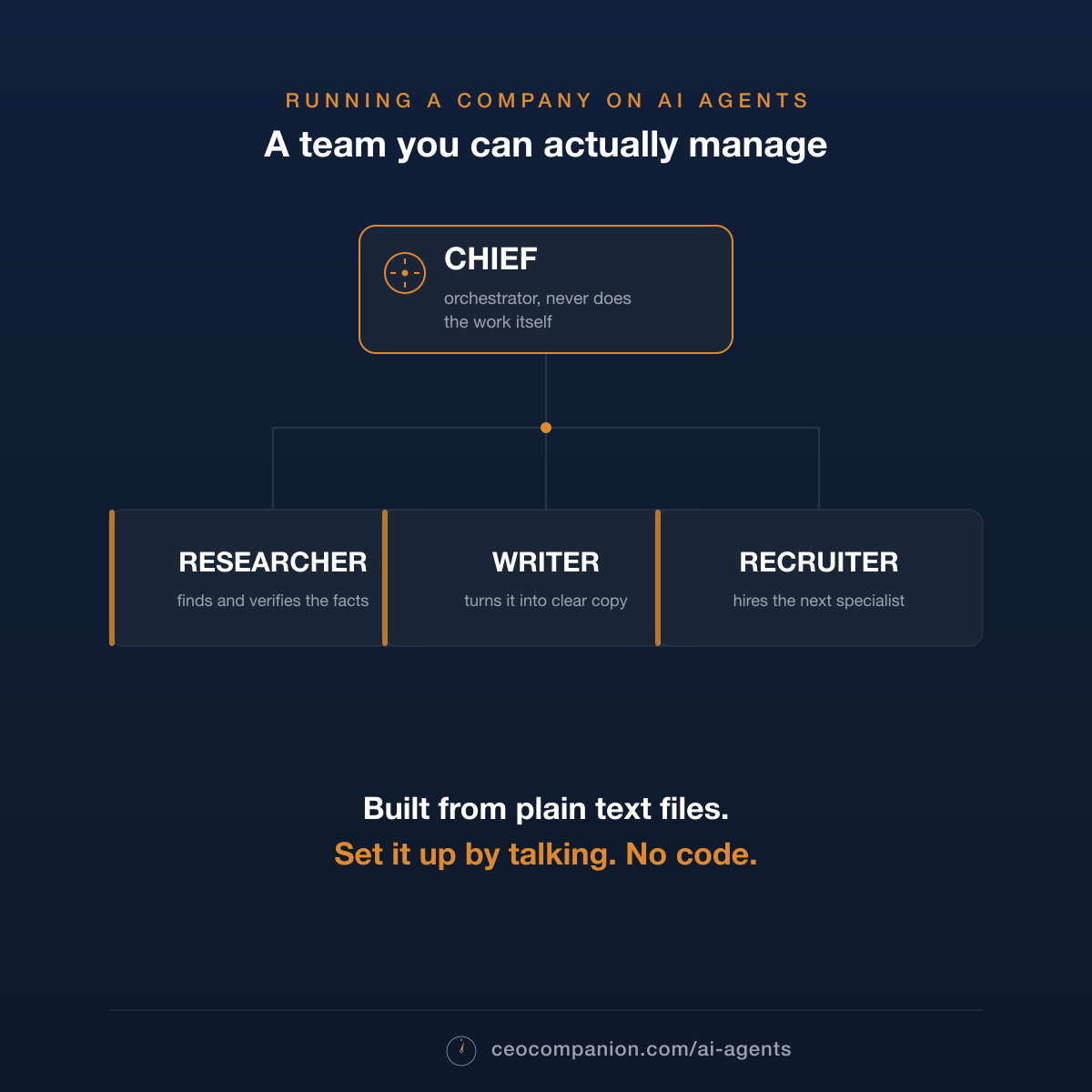
It works like a real team. There is one orchestrator at the front, and its only job is to never do the work itself. It listens, decides who should handle the task, and hands it to a specialist. The specialist does that one thing in isolation and reports back. The orchestrator pulls it together and brings it to me. A few hard rules bind every agent and travel into every handoff, so the discipline does not slip.
It came after a few failed attempts with guides that assumed I wanted to become a programmer. I know what I do not want to do, and that is one of them. This version stuck, so I am giving away the exact setup, the orchestrator, the specialists, the rules, the lot, so any operator can build their own and stop doing the routing by hand.
Here is how it works, the whole system on one screen, and the files to build your own.
The full guide plus every template file (the orchestrator, the specialist personas, the shared rules), ready to drop into a folder and run, no coding needed.
The same setup on one page, written for developers: how the orchestrator, the subagents, the guardrails, memory and permissions actually work.
The Whole Thing at a Glance
These three panels are the whole system.
Set it up in 4 steps
1Install Claude CodeA one-time install. The kit's setup file walks you through it.
2Create a folder, drop in CLAUDE.mdOne file from the free kit is enough to bring Chief to life.
3Open it and say "Help me set this up"That sentence is the whole instruction. Chief takes it from there.
4Answer Chief's questionsA friendly interview. Chief builds your team with you and asks before each step.
From step 3 on it is just conversation. About 15 minutes, no coding.
How a task flows
Yougive Chief a task in plain words
Chiefpicks the right specialist and briefs them
A specialistdoes that one job alone, then reports back
owner-inbox/finished work lands here for you
Chief never does the work itself. That is the trick.
What is in the folder
CLAUDE.mdChief's brain, the only file loaded automatically
team/one persona file per specialist, plus the shared rules
context/who you are, your projects, your voice
team-inbox/you drop raw material here
owner-inbox/the team drops finished work here
The detailed guide, the environment setup and every template file are in the download. Below is the short version, for people who run a company rather than a terminal.
Why it works
One assistant that juggles research, writing, planning and hiring in
the same conversation gets muddy. Instructions for one job bleed into
another. So I built a team instead. At the front sits an orchestrator
called Chief. It listens, decides who should handle the task, briefs a
specialist, collects the result and brings it to me. Chief never does
the work itself, and everything downstream depends on that.
Each specialist is a short persona file: who they are, what they
handle, how they behave, which tools they can touch. Spawned for one
task, it runs in a fresh context window, cannot see my conversation with
Chief or the other specialists, does its job and is gone. A short, sharp
persona steers behavior far more reliably than one giant prompt. The
shared rules are pasted into every handoff, not referenced, because a
rule the specialist never reads does not exist.
Chief is a chief of staff, in other words. Mine has quietly become my
Chief of Stuff.
How I keep control
This is the part I would want to know before letting agents anywhere
near my company's mail. Claude Code asks me to approve each action, and
I have left that gate on. I only changed the wording: every request must
say what it is about to do in plain language, so I can approve it at a
glance. Everything is read-only by default, and any write to mail,
documents, the wiki or the CRM needs my explicit approval, every
time.
If an agent finds instructions aimed at an AI hidden inside a webpage
or a downloaded file, it stops, quotes the text, names the source and
waits for me. No deadline overrides that. The team gives me decisions
and finished work, never a to-do list. And every specialist runs a short
self-check against these rules before handing anything back, so the
discipline is enforced at the handoff, not left to chance.
What it does today (September
2026)
Three things are new since the June version of this page. The team
now has memory across sessions: one fact per file, and every correction
is stored together with the reason behind it, so when I fix something
once it stays fixed. The specialists have read-only access to the
company's mail, documents, wiki, CRM and chat (Outlook, SharePoint,
Confluence, HubSpot, Slack), so a brief can start from what is actually
in the inbox rather than from what I remember of it. And the recurring
reports have turned into live dashboards published at a stable link,
refreshed when I say the trigger phrase.
One task, end to end
Suppose I ask: "Research the market for X and draft a short post
about what I find." Two jobs, two specialists.
Me to Chief. Chief reads the request and sees
research first, then writing.
Chief to the researcher. Chief spawns the
researcher as an isolated subagent with its persona, the full text of
the team rules and a tight brief. The researcher searches, reads, cites
and returns a structured summary.
Chief to the writer. Chief spawns the writer,
fresh and separate, with its own persona, the same rules, the research
findings and my voice samples from context/. The writer
drafts the post in my voice, runs its self-check and returns the
draft.
Chief to me. Chief drops the finished post in
owner-inbox/ and tells me it is ready, with a one-line note
on what the research turned up.
The two specialists never saw each other's context. Neither needed
to.
If you want the manual, it is in the kit. If your CTO wants the mechanics, they are in the one-pager. Both are free, no email required.
The full guide plus every template file (the orchestrator, the specialist personas, the shared rules), ready to drop into a folder and run, no coding needed.